How to Use Psychedelics
Free, evidence-informed psychedelic education and harm reduction.
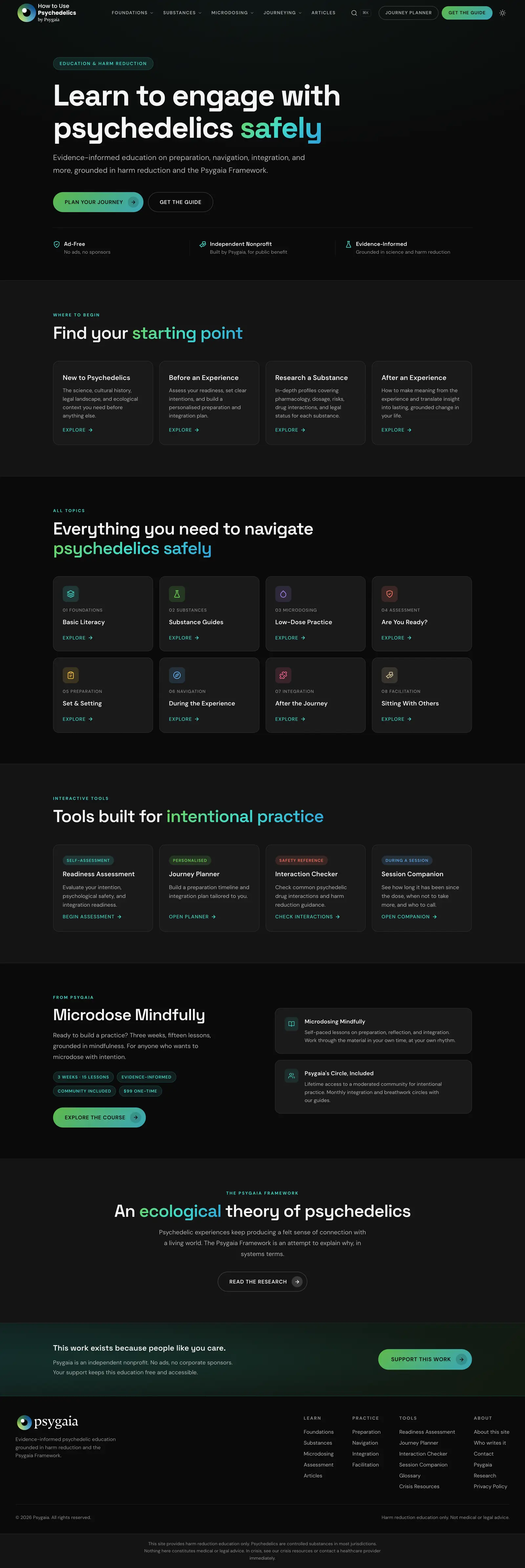
01 Highlights
Featuring four pieces of custom software, like an interaction checker and a session companion, in an evidence-informed library.
02 Brief
Read by people about to take something, so every answer has to be quick to find.
03 Build
Guides to each substance and to preparing for, navigating and integrating an experience, and four tools written for the site as custom software. The build generates its own search index and share images.
Custom software
04- 01
Interaction Checker
Pick two substances or medications to see how risky the combination is, or pick one to see everything it interacts with. It covers 18 of them, and each of the 153 pairs has its own rating and note.
Try it: Interaction Checker - 02
Journey Planner
Five steps, from substance and dose to integration, with the plan filling in beside them as each answer is given. It saves in the browser, so a plan can be picked up later, and ends in a PDF to keep.
Try it: Journey Planner - 03
Session Companion
For whoever is sitting with someone during a session. Start the clock when the dose is taken and it shows how long it has been, where they are in the arc, when not to take more and who to call.
Try it: Session Companion - 04
Readiness Assessment
Eleven questions on intention, psychological safety, setting and integration, taking about five minutes. The answers stay on the page and are never stored, and the result can be saved as a PDF.
Try it: Readiness Assessment
All four run in the reader’s browser, with nothing to install and no account to make. The planner and the companion take their timings from the same data as the substance guides, so a tool and a guide never give different numbers.
The system
From howtousepsychedelics.com’s own stylesheet- Ground #0a0a0a
- Card #1a1a1a
- Teal accent #40d9cc
- Brand green #6dd456
- Light-theme cream #faf8f4
Type
- Space Grotesk
- Headings
- DM Sans
- Body
Details
- 01
The hero’s accent word rotates every three seconds in a green-to-blue gradient.
- 02
Cmd-K opens a command-palette search over an index built at deploy.
- 03
Glossary terms link themselves inside articles and open a card on hover.
- 04
Topic cards lift and take a tint of their colour on hover.
Measured
Google PageSpeed Insights · mobile · 11 October 2026- Performance
- 96 / 100
- Accessibility
- 100 / 100
- Best practices
- 96 / 100
- SEO
- 100 / 100
The homepage, tested by Google on an emulated mid-range phone over a slow 4G connection. Scores move a point or two from one run to the next.
Under the hood
09- Pages
- 51
- Substance guides
- 12
- Custom software
- 4 interactive tools
- 01Astro, static, on Cloudflare, with view transitions and hover prefetch
- 02Four tools in plain JavaScript, with no framework
- 03GitCMS for the articles, with drafts reviewed before they go live
- 04Newsletter signups and page feedback through a small forms Worker, behind Cloudflare Turnstile
- 05A share image for every substance and article, rendered at build
- 06Search index, glossary and FAQ data generated from the pages at build
- 07A build that fails on broken links, over-long meta, breadcrumb drift or a mismatched interaction risk
- 08Structured data across the site: organization, course, FAQ, breadcrumbs
- 09A Content-Security-Policy